Pages

Showing posts with label lessons learned. Show all posts

July 10, 2018

Nortal Summer University Workshop "Getting Started With Web Testing"

In June Nortal has held traditional annual Summer University for developers, analytics and testers. This is an internship program for juniors, who want to make a career in IT. Generally they are IT students, but not necessarily, so everybody in Estonia, Finland, Lithuania or Serbia had a chance.


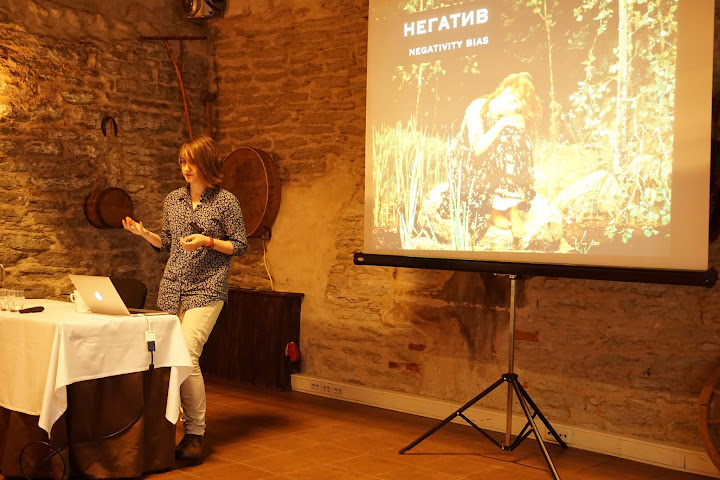
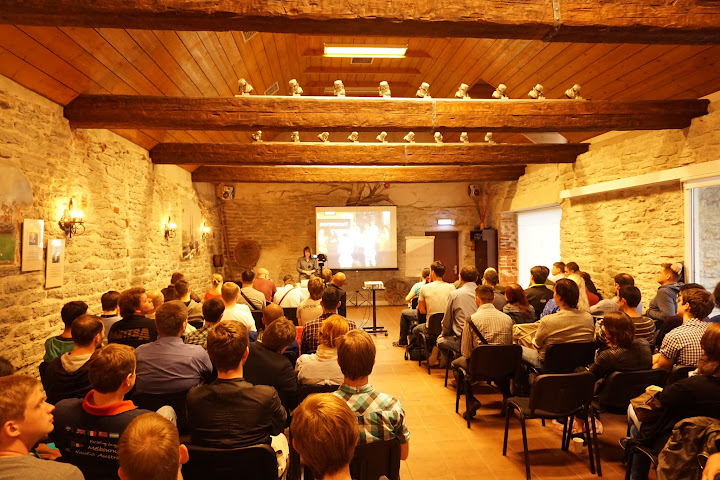
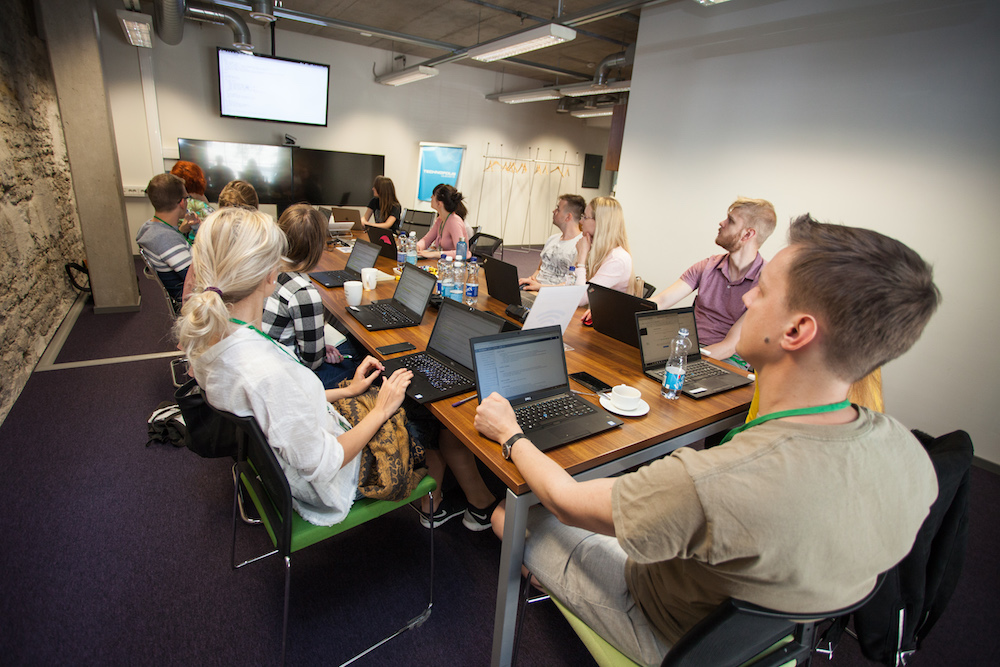
This year I did a 2h hands-on workshop Getting Started With Web Testing, which is partially based on the last year's workshop What Tools To Use To Test Better? There was small theoretical part about browsers and three practical exercises about DevTool, web accessibility and security. I leave slides here, just in case, but I don't believe that you find something interesting there.


Practical exercises can be more useful for you – they are available at GitHub repo github.com/iriiiina/nsu. You can find all three exercises, used tools and further reading suggestions there. The workshop was made for non-IT people, who were not encountered testing before, so exercises are quite simple and trivial.

On last year's post I had following lessons-learned about previous workshop:

The presentation was indeed slow for some IT students, because they already knew DevTool and may be some other stuff. So one of the lessons for the next time is to create more flexible content and give an opportunity to dive deeper for people who are bored.

This year there was fewer IT students, but I still tried to divide exercises on smaller parts. For example, I didn't give 10m of theory + 20m of personal time on one exercise, but 5m on small task + 5m of personal time + 5m of discussion and new small task + 5m of personal time etc. That went quite well for me. But some IT students were still a little bit bored, because they already knew a lot of basic stuff.

The second lesson is better plan less and make more breaks, which in this case worked great for me. I was actually surprised how timing went well this time.

I am not sure about this lesson now. This time I made too much time for QA part, which ended much quicker than I thought. I think this year I would modify this lesson: better plan some backup topic that you can talk about if there is left some time at the end. In fact, I was planning to talk about web automation if time is left, but refused this idea because you can't talk about automation briefly.

And the last lesson is don't waste time on technical stuff that doesn't matter for the main goal. For example, don't mess with creating your own REST services if you want to show Postman.

This is absolutely true. In fact, this year I used basically the same one exercise with minor modifications. If you open all three exercises, you can see that they look almost identical. The difference is in the back-end. For example, on second exercise about accessibility image without alt tag is added, on last exercise about security cookie is added etc. I forgot to remove annoying pop-up dialogs on the second exercise, my bad, but I am still glad I choose this approach, because juniors can focus on specific features that are important, without need to learn new environment and design.


This year I didn't get any specific feedback, but main point is the same: participants have very different background, so either basic part is too boring or advanced part is too confusing. As always, there should be too many trade-offs.

June 18, 2017

Nortal Summer University Workshop About Tools for Front End Testing

On last week Nortal held Summer University once again for junior specialists who want to join us. The first week was about general introductions and workshops just to give a taste about Nortal itself and about the role of juniors (some of them are developers, some of them analysts and testers, of course). So I did a small workshop about tools for testing front end and I want to share some thoughts about it.

The content of the workshop is available at GitHub repo – github.com/iriiiina/nsu. You can find three exercises, used tools and further reading there. The workshop was made for non-IT people, who were not encountered testing before.

First two exercises I've made specifically for this workshop, so you can find some hidden bugs in HTML and JavaScript code using DevTool or some browser extensions. Third exercise was about REST services and Postman, so the link is just a sandbox where you can take a lot of different types of REST services.

The slides are here, but they are not very useful without the explanation:


This is the first workshop that I would like to reuse and improve – I never wanted to repeat any of my previous workshops before. I don't know why, may be because this one is simple and can be introduced to any kind of specialists and levels.

I didn't get a lot o feedback from participants (there was about 10 people), but here are some:
  • I found front-end testing tools part really useful.
  • Very informative, nicely composed workshop plan.
  • Very useful tools; a bit hard to follow the demonstration at times.
  • The topics were cool and informative but the presentation was a little slow.

The presentation was indeed slow for some IT students, because they already knew DevTool and may be some other stuff. So one of the lessons for the next time is to create more flexible content and give an opportunity to dive deeper for people who are bored.

The second lesson is better plan less and make more breaks, which in this case worked great for me. I was actually surprised how timing went well this time.

And the last lesson is don't waste time on technical stuff that doesn't matter for the main goal. For example, don't mess with creating your own REST services if you want to show Postman. Or don't deal with data base if you want to just print some data (you can save it into browser storage or into session). It went quite well this time as well, mainly because I had a limited time for preparation, so external limitation didn't allowed me to play with all this stuff, which is sure interesting, but makes everything more complex.

In summary, this was the first workshop that didn't make me think that I hate public speaking. Maybe because I was least prepared for it and improvised a lot.

June 11, 2017

Nordic Testing Days 2017 Summary

This year I participated only on two conference days of Nordic Testing Days and didn't take any tutorial. Here is a small summary about tracks I took (the order is chronological).

[keynote] Enjoy the Ride! by Henrik Roonemaa

Very good talk for the keynote: interesting, not very technical and a little bit off topic. Some short takeaways:
  • There are two types of bad products: those that exit the market and those that enters it.
  • iPad has a great intuitive design – that's why it's the future. Not for technical people, but for the majority.
  • In the internet you are for everybody or for nobody.
  • The product should do something for me, not me doing something using the product.

[workshop] How to Build a Robust API Checking Framework by Mark Winteringham
Nothing new for me. One good phrase: if you submit a form for many times, what do you test: UI or API?

[workshop] Me, Myself and Siri by Sami Söderblom
It was not very useful, but really fun. There was a small part about other AI systems besides Siri, but just as references. In summary – you can't really use Siri at work now: may be in a combination with clicks if you really want to, but it's not faster than usual computer usage. However this workshop was way better, than many so called "useful" ones.
Interesting links:
  • @seeBotsChat – Twitter account of two AI robots speaking to each other
  • Quick Drawing – game-ish neural network, that recognizes human's doodling
  • Perpective – API that tells you how many people will be abused by your text etc
  • Wolfram Alpha – API that measures and compares everything

[keynote] Creating Yourself as a Tester – make your own testing path by Alan Richardson
  • Describe rather than define.
  • Do notes about how you work and analyse them later to work better.
  • People who came up with software testing knew math and physics very well and they generalized some complex stuff to known testing methods. But to understand the roots of these methods you could learn math and physics as well.
  • People are complex systems. If you are trying to copy someone you are coping only high level of the whole system. That's why you need to develop your own system with roots and low levels.

[keynote] 10 Commandments for Ethical Software Testers by Fiona Charles
  • Developers don't even know that libraries, that they are using, collect users data.
  • Big data is fed into fare and independent algorithm, but this data was selected by someone. Data is biased.
  • There are risks in acting, there are risks in not acting. How much risk do you tolerate?
  • If you have concerns – make good solid notes for future evidence.
  • We develop systems, because we can. Not always because it makes the world a better place.

[workshop] Just Enough JavaScript to be Dangerous by Alan Richardson
The level of the workshop was "like fish in the sea", but as for me it was more for beginners. But I have learned a couple of new tips: like iterating an array in JavaScript without a loop or snippets in Chrome DevTool. Also that button as not a button element is bad, because it leads to cross-browsers problems.

[talk] Test Your Java Applications with Spock by Iván López
Best track on the whole conference! There is a funny thing: the best talk on testers' conference was from a developer. It was actually a demo, where unit tests on Spock and Groovy were shown. And here is a second funny thing: it doesn't need to be a workshop to learn a technical stuff. Iván López just showed really cool features of Spock (like presenting an arrays in tables for data driven testing), so I definitely will try it at work.

[talk] A Story of a Tester Building his First Mobile App by Risko Ruus
Good short talk about how idea came true as an app.

[talk] Determining Your Application's Heartbeat Through Monitoring and Logging by Gwen Diagram
General talk about need of proper logs and monitoring systems. Maybe useful for beginners who didn't encountered real projects yet.

[keynote] Building Smart and Reliable Self-Driving Robots by Kristjan Korjus
Perfect for final keynote, but I wish the robot do more stuff on the stage.
  • They limit speed of the robot to 6 km/h, so it won't be classified as self-driving car and won't fall into regulations.
  • Software can help to get maximum out of a crappy hardware.
  • They don't have tests and documentation, because hardware is changing too quickly.
  • To avoid security issues related to 9 cameras on robots, no person ever see pictures with normal resolution, so it's impossible to see numbers or faces.
  • Craziest people are in London, who says something like that's my street, I don't allow robots here!
  • There is no self-destruction system, because they don't have tests and what if there is a bug in this system? :)


Other Stuff Mobile app is super cool! I don't see point in notes and feed, but favourite tracks in the schedule, notifications and feedback is very convenient.

Notebooks with conference floorplan and tracks description is cool, as always.

Drum show with drum sticks is the best!

February 11, 2017

Automatic W3C Validation Using YAML Conf in GitLab Continues Integration

As I already wrote I host my Profile Page on GitLab and use Runner to deploy the code. Runner is quite powerful tool, than can be managed with YAML .gitlab-ci.yml conf file.

Basically, it means that after every commit some automatic actions happen (well, actually, not on every commit, depends on how you configure it). In my case .gitlab-ci.yml looks like this:


It means that after I commit something into master branch it performs deploy stage (script move-content-to-public.sh) and test stage (script w3c-html-validation.sh). Both scripts are my own custom sripts and in this post I want to talk about the second one – W3C validation of HTML file.

You can find the script content in my repo: w3c-html-validation.sh. The good thing is that W3C has public API for validating some URL. So all I need is just requesting this API with URL of my page as an input parameter. And that's the reason why I perform the test stage after the deploy stage: new changes need to be published to check them. Also, W3C errors are not verty critical, so I dond't want to fail the whole deploy because of them.

It looks like a very simple thing (it actually is), but it took a time for me to configure this validation (as I was not very familiar with YAML), so I decided to leave some notes here.

February 9, 2017

Profile Page 2.0

Two weeks ago I published my Profile Page. Since then some changes were made, that I think are worth sharing.

First of all, blog changes. As I have now profile page I don't need to keep same stuff here, so blog design has been simplified: pages with extensions and the right panel with some weird stuff has been removed to give more space to post content. I think I will make some more design changes in the near future.

Second big stuff: both FireFox extensions URL&p and JIRA Issue Opener has been finally refactored and redesigned. So now they are in consistancy with Chrome extensions and should properly work with final FireFox versions.

After reading an article An opinionated guide to writing developer resumes in 2017 I decided to remove skill progress bars from the page and CV. Now there are two sections of Strong and Knowledgeable technical skills. Also short descriptions of previous experience has been added to CV.

One more modern thing that I have completely forgotten about is page sharing in social media. So this time I added some meta tags to help Facebook and other medias better share my page. Good article about sharing: A Guide to Sharing for Webmasters.

At last, I have encoutered interesting fact: fixing general and fundamental architecture things automatically fixes several small bugs. Of course, I knew it before, but I have never experienced it personally. For example, I am a fan of SVG pictures, but in Microsoft Edge they looked strange. I didn't pay much attention to this compatability bug, but at some point I started to optimize pictures for web. And it turned out, that you should never use text as a picture. If you have only text you should use HTML+CSS (and almost always it's possible to get the same result as with picture). So I migrated all headers in profile section from pictures to text and the Edge problem was automatically fixed.

January 29, 2017

Profile Page with HTML5 and CSS3

I decided to learn about new web technologies, so I have a plan to build a few small projects. Basics first - profile page from scratch (without any CMS-s and templates) - irina-ivanova.gitlab.io.

All the source code of the page and description about used technologies can be found in GitLab repo gitlab.com/irina-ivanova/irina-ivanova.gitlab.io.

Shortly: HTML5+CSS3 (and a little bit of AngularJS to show last 3 posts from this blog). New challenges for me were responsive design (which turned to be not so hard as I thought), SEO and performance (images and fonts optimization, SVG, content optimization etc).

Also I tried to use new Git manager GitLab and I love it! GitLab, unlike GitHub, allows to create private repos for free. Also there are a lot of free build in functionality like milestones, issues, Kanban board, continues integration, hosting the page etc. I'm not only host this new profile page there, but I migrated all my extensions and scripts from GitHub. Speaking of extensions, I redesigned them all (actualy, only Chrome ones for now), so they should be more fresh and modern now. GitLab has one downside: UI is a litle bit slow and continues integration sometimes pending the changes for an hour (but not too often).

If you are interested in details about used tehnologies and resources - see README file in the repo. There are some links on articles that being used in the process.

Some surprises during this experience:

P.S. The day I was planned to publish the page and this post I've got a subscription email with the article An opinionated guide to writing developer resumes in 2017. A lot of things in my CV are incorrect and I plan to change it in the near future.

October 24, 2016

Why I Don't Like Testing Conferences


The painting: "The Witches’ Cove" by Jan Mandijn

The best book about software testing has following introduction: "This book is about software development as we've experienced it." ("Lessons Learned in Software Testing" by Cem Kaner, James Bach, Bret Pettichord). Because you can't talk about testing without the context of the general development itself.


I like conferences – they are usually very inspiring, motivating and sometimes challenging. Visiting testing conferences gives a lot of ideas how to do my job better, but almost always that means improving some processes at the project. And it's almost impossible to change some steady process if more than 10 (or even 5) people are involved in it. To change the process you need to convince all team members that it brings benefits to the project or product. And to convince team members you need to retell the story you heard on the conference (which usually is as long as the conference talk or even longer with all the preparations you need to do) and to be talented speaker (usually inspiring speakers at the conference are good at speach), which in major cases is not true. So, wouldn't it be better that all (or maybe the key ones) team members just visited the conference all together to hear the same talk from experienced speaker and be inspired all at a time?

Majority of the people in the audience is having some ideas during the talk, they are very inspired and willing to do some changes in their project, they came back to work and start to talk about these changes with developers or project managers and then... they get couple of arguments why it won't work in this specific project. And this person, who visited the conference, is not so skillfull as the speaker to pitch other team members. So everyone thinks he is a boring tester who constantly offers some silly ideas.

This is not just impractical, this is harmfull. It brings discord between programmers and testers (and analytics, but programmers vs tester is the most popular confrontation). Programmers doesn't understand why testers suggest to do their life harder, because they haven't heard the same speach. For example, the idea to involve testers into the development as early as possible may seem to be silly if you hear that from one junior tester who visited some conference ("he doesn't understand anything at the early stage and I don't have time to explain it" – may say some programmer). But the same idea from the experienced speaker on the stage is not so silly anymore (at least you need to have a proper argument to argue with it).

I'd like to have conferences about software development generally, where all roles can participate. Surely, there should be specific conferences for testers and programmers, where speakers may talk about how to automate tests, which tools can be used, how to do security or performance testing. However questions like why we need automation, why we need security, at what stage of the project we need to thing about security, how ofter we need to release updates in production should be convered in general conferences, because these are the problems where all team members are involved. The problem is that I don't know any widely spread good conference about software development generally - all good conferences are role specific.

After all, all team members have one common goal – to create a product (good teams have goal to create a qualitative product). Both testers and developers works for the same goal, but visiting different conferences they start to see the same goal from two different perspectives.

May 27, 2016

Web Application Security Training by Clarified Security


You shouldn't find any EXIF data in this picture.

I've participated in the Web Application Security Training by Elar Lang from Clarified Security. It's very detailed and thorough hands-on 4 days training for web programmers, testers and all people, that are related to web development.

As for me, it's must-do for all web developers and testers. If you look at the content (especially client-side part), then it may seem to be too general and basic, but actually these well known things are explained in a quite deep and advanced level.

Organization is really nice feature of this training: first we had 2 days of client-side part and next week 2 days of server-side part, so between them I had 3 working days to work through client-side attacks on my application. Also, there can be maximum 12 participants, which makes the treaining more individual.

In summary – I really recommend it to people, who thinks that their software is safe or that there is nothing to wory about even if it's not.

July 31, 2015

Presentation in DevClub About Biases in Testing


Recently I did presentation about biases in testing in Tallinn DevClub. You can guess, that DevClub stands for developer's club, so target audience was developers.

DevClub is pretty nice community of developers in Tallinn, which organize small meetings every month. Usually meetings are held in the evening (so every developer can attend after work) and there are 3 speakers in one evening. Most of the topics are technical about software development, but there are also abstract topics about photography or beer, for example. Before me Anton Karputkin talked about quantum computers and after me Alek Aldzanov talked about storage of picture files for sales service.


My slides are available on Slideshare. They are mainly in Russian (as the whole presentation was in Russian), but some of them have English translations. Actually, they don't have much text at all, because biases are not very illustrative things.


DevClub is recoding all sessions, so video is also available:


The presentation was mainly build on John Stevenson's book The Psychology of Software #Testing, that has a chapter about biases. I have already wrote the post about how I liked this book and I have also wrote the post about John Setevenson's workshop on Let's Test, where my main takeaway was "if you want to learn something try to write about it or teach it". So these 2 facts were the main reasons why I have chosen this topic and why I decided to do presentation at all.

I am not going to write about presentation's details – I'll write only one thing, that would be great to change next time: people want to hear about personal experience in details. I had some examples, but they were too abstract and general. So next time I try to add very concrete situations.

Surely it was very positive experience, the main surprise was that after presentation people started to share with me some interesting examples of biases.

June 11, 2015

My First Ever Workshop at Nortal TechDay 2015


Recently I did my first ever workshop at the conference (it was Nortal company inner conference, so you probably haven't heard about it). It was some sort of bugbash, where participants had to find bugs and vulnerabilities in certain application. The application was written by me using Angular.js, JavaScript, Node.js and it used REST services and DB. All the technical part was on me and documentation part on Alla Tarnovskaja – co-author of the workshop.

As we started to use Angular.js and REST services in our company, the idea was to give some insight about some potential bugs that may appear in these technologies. Participants didn't have any documentation or specification – just the application with very simple functionality and a lot of bugs with different level of complexity, so every tester could find at least one bug. Testers worked in pairs, so there was an opportunity to share experience. Pairs had about 1 hour for testing, after what I revealed known bugs and some pairs shared their bugs that I didn't mentioned about. Also in the middle of the workshop we published some tools, that we suggested to use to explore the application – it was a little hint for testers, who were out of ideas.


Alla Tarnovskaja drew beautiful pictures specially for the workshop. This bug is defeated by Nortal team.

My main fear before workshop was stability of servers – application uses web and REST servers (on Node.js) and as I didn't write them before I was scared that testers will put them down with some injections or special symbols. And they did. They put REST server down about 10 times and web server – 2 times. But during the workshop I constantly monitored logs, so I managed to put them up again in a very short time (1-2 seconds), so general downtime is not more than 2 minutes. The problem is, that all pairs used the same servers, so if one pair managed to put it down all pairs didn't have access to application anymore. I was thought about giving source code of services and application to all pairs, so they could launch them on their own machines (or on virtual machines) and don't depend on others injections, but these things usually take a lot of time in the beginning and we didn't had that time.

One idea that came up during the workshop – it will be fun to do some beautiful logs of servers and put them on big screen, so every pair during the workshop could see what is going on on server. But you can do this only if pairs use one general server, which is risky.
Also I got a lot of ideas about bugs that I can put into application from workshops in Let's Test conference.

There is 2 things that I really liked in our workshop and didn't see in other similar workshops. First one – very detailed documentation about known bugs and how to reproduce them (documentation was opened at the end of workshop), so every participant could try to reproduce them at home, after the conference. Second one – one very interesting and hard to find bug, that nobody found. It's always a little bit boring to hear about revealing the known bugs if you have already found them by your own. More interesting is to see how to find bugs that you didn't found.

Doing workshop is fun and useful – usually I start to ask myself right questions only if I have responsibilities and fears. So making workshop is way more productive for me, than participating in it.

December 11, 2014

Textarea Checker v0.1

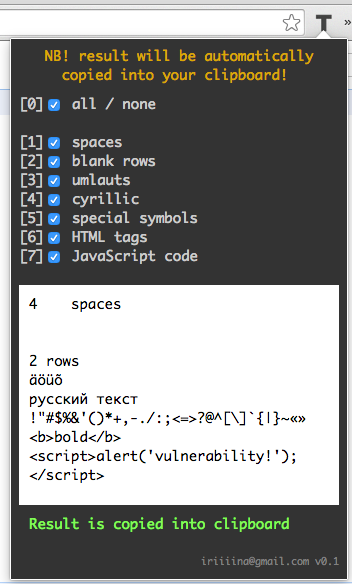
Lately we had some development at work where textarea fields were involved. Turned out that problem with displaying special symbols is quite popular one, so we decided to make template with all kinds of symbols that we can just copy into all fields.

Template is good, but extension is better, so I did new one – Textarea Checker (very raw version).

For now it has just some very basic hard coded options, but I have plans to do these options editable, so everyone can set up his own template.

Another plan is to make output more readable. User obviously need to compare two texts – what was inserted and what is displayed – and this comparing should be as intuitive as possible, without needing to looking back what was actually inserted.

Personal challenge in this extension was that fact, that in last versions of Chrome selection of the textarea text textareaElement.select(); doesn't work, so I can't select output to make copy process faster (as it was in stringG). That's why I decided to automatically write output into user's clipboard, so, basically, do the copy for him.
With that decision two more challenges came up. First one – that means that I can't give some default value on extension opening, because there is possibility that extension was opened accidentally and user really didn't want to overwrite his clipboard value. So users who opened extension on purpose have to do one extra step to get some result (press 0, for example). Second one – as extension returns HTML and JavaScript codes I had problems with plain and rich text formats. So to make text in output and text in clipboard identical I need to return it into div element as HTML text (not into textarea like in the stringG).

One more challenge – hot keys. In this case I need to listen events not on some elements (as in stringG or spanD), but on whole document. That means, that every key click starts some process, which means, that regular selection and copying with Ctrl+C may not work, because Ctrl unselects the text and there is no value to copy.

Textarea Checker


See new posts:
December 16, 2014 Textarea Checker v1.0

October 19, 2014

My First Steps in Using MindMap


At the conferences a lot of speakers talk about using MindMap in testing. So I tried to use it in my work.

Shortly – I didn't like it (or didn't understand). I guess it is useful for describing some system and relations in it system, but I don't understand why testers should do that – usually analysts describe relations. Of course, there are projects with poor analysis where testers should do some extra work to understand the whole system or to explain it to someone else, but it is not testing – it's tester doing analyst's job. So I can't say, that MindMap is a testing tool.

One more purpose of MindMap, that I heard about – is writing notes during exploratory testing session. In that case I don't understand why you should connect these notes with each other? I use simple checklist for that purpose: before (and during) test session write down chapters that I need to check; during the session under these chapters write bugs or functionalities that need to be clarified; after session read the list, report or clarify the problems and strike out the lines. Lists are more readable (in MindMap there is no start and end), lists suits more for screens and papers (MindMap can very easily go beyond the screen or, worst, beyond the paper, checklist can be just continued on second page), in lists it is more convenient to strike the line out, when it's done.

There is one more usage of MindMap, which is not connected to testing – note-taking during the lecture, tutorial or conference. Again, don't understand why you need connections in these notes – usually I write down a thought or an idea, that need to be processed later. So after conference I need to read all notes and do something about them – checklist is more convenient for that purpose.

I agree, that in some cases (mostly for analysts) MindMap is pretty useful tool, but I think that it is overrated in testing world.

October 15, 2014

Support Of Inner Application, Part 2

In one of the previous posts Support Of Inner Application I wrote about six major features for this kind of support and some principles according to these features.

In this post I would like to continue the list of principles which are also comply with those features.

  • If user reports you some case, where problem is in invalid data and you decide to fix data, then you should also check are there more similar cases to fix. Of course, first of all, you should understand why the data is invalid, if the problem is in application then fix this problem and after that fix all the wrong data, that were caused by this problem. The point is, that you shouldn't wait when user reports you cases one by one, but should find similar cases on your own and fix them all in one time (with user permission).
  • Different forced users often ask same questions. So it's good to make some sort of FAQ (Frequently Asked Questions) document for them. Especially if you have some tricky functionality with codes or formulas that doesn't need to be memorized. It's good practice when users are complementing and maintaining the FAQ documentation by themselves (because they know better how tricky functionality should be described to be useful for them in years) and you only moderate and validate the content, but usually users don't do it. I don't know why.
  • If you know particular user who is testing particular functionality, that you have already been tested – share extensions and tips that you were using. You have already tested it, you have already found some solutions for some problems – don't make other people find same solutions for same problems. You can say here, that may be they find better solution, but my experience says, that people who are capable of finding good solutions find them anyway – whether they have yours or not. So this principle helps people, who are not able to improve processes by themselves.
  • Answer on all messages even if it wasn't a question. Sometimes people write some message just to inform about something and if you red it but didn't answered anything (because there was't anything to answer) then they don't know did you get the message or not. You can always just answer "ok".
  • If user reports you a problem he must know its fate. If problem cause is in application – report it to developer and tell the user that its reported. If the problem was in invalid data – tell it, don't just silently fix it.
    Bad example
    [User]: I have the problem X
    [Support]: Thank you for reporting the problem, we'll see what we can do.

    Another bad example
    [User]: I have the problem X
    [Support]: I fixed some data, please check is problem reproducible.

    Good example
    [User]: I have the problem X
    [Support]: It's the bug of application, I reported it to developer, we try to fix it in next cycle.

Support paradoxes
And two more problems in support which I have not been answered yet to myself.
  • When I investigate the cause of the problem should I ask every time obvious things such as "were you logged in in two browsers at the same time" and thereby spend some minutes for this in every problem? Or should I assume, that users know that they can't save data in two browsers without corrupting it and when it is the case, spend 30 minutes before clearing the obvious cause? Tester may say here, that we shouldn't assume anything, but very often assuming saves our and other peoples time.
  • In support often when things are too good and calm it seems like everything is wrong. In my experience there was a case when live update was so smooth that inner support team thought that error sending system was broken and users can't send their regular errors.
    There is a nice story about similar situation, but with Light Pollution.

September 13, 2014

Some Examples Of Testing Tables And Views In Database

In our project testers are using database (DB) all the time. We query/modify/delete data in test databases to check data flows, to configure something or to just make testing faster (sometimes it's way faster to change some value in DB than to change it through application).

That means, that testers can also test the DB objects – tables and views.

Usually I test them after creation – if I have to test some new component in which the table or view has been added/modified, then I always test this table or view. And in this post I write about some common but not trivial problems that I see at work.

Popular question: should I test DB object, if .sql file of creation was made by analyst?
Definitely yes, you should. Generally analysts don't know much about DB rules and they may not see what problems may create "smelly" structure. Not to mention the fact, that you should always test not only developers, but analysts (and everyone!).

How can I test tables?
Here are some concrete tips that I haven't seen in other articles.
  • If there is field like STATUS and field like IS_DELETED find out what's the difference between them (if you want to delete row should you set STATUS=DELETED or IS_DELETED=Y)? Often they are used for the same purpose and you actually don't need one of them. If you keep both and they do the same thing you will end up to change always both values, which is double work.
  • If there is some value with foreign key its type and size should be the same as primary key to which it refers. Example:
    table USER has PK column NAME(VARCHAR2 55)
    table ACCOUNT has FK column USER_NAME(VARCHAR2 50)
    type of ACCOUNT.USER_NAME is wrong, because it's shorter than the column which it refers to. So you can insert some long username into USER table, but you won't be able to create account for that, because ACCOUNT table can't save that long username.
  • Column type and size should match the data. For example, it seems like column for the telephone number should be the NUMBER, but actually people want to write their telephone numbers with spaces and dashes, so the column type should be rather VARCHAR (you should also check does appropriate application field has necessary constraints – you shouldn't allow to users insert symbols into field that saves data into NUMBER column).
  • NULLABLE property should match the logic. If some field is not mandatory in the application, then appropriate column should not be NOT NULL.
  • Almost all tables have (or should have) primary or foreign keys, so you should understand them. If some column refers to the data from another column – it should be the FK for sure.
  • Table and column names should be logical and clear without documentation. This may seem obvious but a lot of testers are afraid to ask to change the names, because they thing that it's not important (we already have bad name, ok then, nobody wants to change it, lets move on). But actually it is important, because good names saves your time in the future when you need to come back to this table and can't remember what was this bad name for.
  • Learn about database normalization. There are some rules in organizing tables and fields to minimize redundancy.

How can I test views?
Testing view means basically testing the SQL query what creates the view. So you need to know SQL to test does query return all necessary data and doesn't return unnecessary.
  • Double rows with identical data is common problem in queries with OUTER JOIN conditions. View shouldn't return double rows even if it seems harmless (you never know how you gonna use this view next month, maybe you need to count all rows).
  • You need to understand difference between OUTER and INNER JOIN. OUTER JOIN may return more data than you need, INNER JOIN is faster.
  • Usually you don't want to see cancelled or deleted rows in view. Analyst may not write that condition in specs, because he thinks it's too obvious and developer may not write this condition, because it wasn't mentioned in specs. So be sure you understand the purpose of view, to decide should it return cancelled rows or not.
  • You may have some table with properties or parameters in your DB and view can take some parameters from this table. In that case it's possible that in test DB you have (and always had) only one parameter, but in live – two or more. Developers often don't have permissions of live DB, so they don't know the real data. Be sure that query can work with multiple rows in this parameter's table (maybe developer used = instead of IN).
  • Be sure that data in the view is logically correct. For example, I had once one view with two columns in it: DOES_DOCUMENT_EXIST and DURATION_OF_DOCUMENT. And I found some rows where DOES_DOCUMENT_EXISTS was N, but DURATION_OF_DOCUMENT > 0 – obviously if document doesn't exist duration should be 0. In that case error can be in raw data in tables, not in view (then you should find out why data is wrong).
  • If queried table has ID column which you don't need in view – keep it anyway. ID is the easiest way to find row in the table, so keep this possibility.
  • Not exactly the DB thing, but some field in application may take value from view. You may check does size and type of returning value match the size and type of field. For example, what happens if you return value with maximum possible length? Or may be your field takes values from two columns (sums two texts, for example)? What happens if both texts are with maximum size?
  • SQL query should be easy to read, so if it's complex query be sure that every table has unique and clear alias, columns are in right order (for example, START_DATE is right before END_DATE or ID is at the beginning), column names are unique (if query returns two ID columns from different tables be sure the name of each column is changed to something like USER_ID and ACCOUNT_ID) and the whole query is formatted. Even if you understand the complex query now, you may forget about it in a year, so make it as easy as possible to save the time on understanding.
  • NB! Dangerous step, if you don't understand how view is working don't do that! Run query of the view in live DB. It may identify performance problems (live DB usually contains more data than test DB) and in DB testing it is always good to work with real data.

If you also support customers, then probably you are the person who uses DB more ofter than others. Which means you are the person who should care about DB structure and keep it clear and tidy.

September 8, 2014

Scripting For Automated Update (Tomcat 6) [DEPRECATED]

UPDATE: This post describes old version of the script. New version is located in new GitHub repo github.com/iriiiina/version-updater – see post Bachelor Thesis "Version Update Automation Using Scripting Language Bash".


Last month I tried to explore is it possible to improve versions updating process in our project? By improving I mean make it faster or easier. Here are the results.

Challenges
  • 21 modules
  • more than 13 environments
  • on average developers publish about 10 versions per day (of different modules)
  • 2 application server technologies: Tomcat and Oracle WebLogic

Process
Before improvement the process of updating version was the following:
  1. developer makes some changes and publish a new version of module with this changes
  2. tester logs in into the server of the environment he want to update and download published version
  3. (this step is only for WebLogic) tester precompiles the downloaded file with bash script
  4. tester undeploys old version
  5. tester deploys new version with bash script
  6. tester change the version number of the module in the versions tracking system
For testers it takes approximately 3 minutes per version (depends on module and server technology).

Process improvement options
I saw 2 ways to improve process:
  1. Start to use some software for deploy automation, for example Chef, Ansible, Bamboo, Jenkins.
  2. Improve existing scripts, so testers could skip steps 2, 3, 4 and 5.

Problems of first option with new software:
  • Chef and Ansible are the easiest one for the beginning, but for the project which already use Atlassian products is more logical to use Bamboo (then you can link version with JIRA issues).
  • If still use Chef or Ansible, then basic levels (free of charge) does not meets our requirements, so we need to buy advanced levels. Again, it is not very reasonable when you have free possibility to user Bamboo.
  • Bamboo needs to use agents for job execution. In our project we will need about 10 agents, which is quite expensive.
  • Any software installation, configuration, maintaining takes too much time and effort.
  • The final time and effort of the whole update process for testers is actually the same, as the time with improved script:
    • you still need to open the software, which is the same as logging in into the server
    • you still need to define environment, module and version, wich is the same, as run the script with parameters
    • you still need to change the version number of the module in the version tracking system

So I decided to improve existing scripts. Scripts are general-purpose, so I needed to write only 2 (for Tomcat and WebLogic), which I can copy to any server.

Solution
Now human doesn't need to insert commands by hand and wait for the response of each step, so it saves about 2 minutes (script for many modules update saves even more time). And the process is definitely easier that it was, so the goal is achieved.

Also there was performed one very little change in scripts, which according to the principle of Pareto provides the greatest benefit – colored output. First scripts gave meaningful output, but the whole text was white – it was quite difficult to read it. New scripts give errors in red, success messages in green and process messages (for example 'Downloading the file...') in cyan, so reading of new output takes seconds.

Summary
This post could be my answer on the eternal question 'do testers have to write code?'. For all people who work with computers (including testers) programming is not the goal, but the tool to achieve some goal. The most common example – it's the tool to improve some process. So if you want to be effective in your work you need to use tools for improving your processes and not being able to write some code should not be the reason why you can't perform improving. Of course, you can ask someone else to write some code for you, but again it's way less effective than to write it by yourself. In my opinion, even librarian, who works on computer could write a code, to improve books registration process or something like that.

So, good tester who is looking for options to work effectively should be able to write some code.

August 29, 2014

Support Of Inner Application

I don't know how many testers in the world are providing a support to customers, but in our company almost all testers are doing this.

We support "forced users" – by that I mean users, who are basically forced to use our application to do their job. For example, post office uses some inner application to register and track packages and letters, so post office workers are forced to use this application – there is no way they can do their job without it.
And by support I mean helping forced users to solve problems that they can't solve by themselves, to answer questions about some functionality or to modify data that can't be modified in the application.

Usually organizations that are using this kind of inner applications have their own IT support team. So application testers are actually supporting the support of forced users. The general process looks like this:
Forced user have some problem and reports it to organization's IT support team
|
Organization's IT support team try to solve problem and if didn't succeed report it to us
|
We try to resolve problem

I think there are six major features for this kind of support (these are also differences between forced and volunteered (Facebook, Gmail, etc) users):
  • Often forced users want to solve problem as soon as possible, because it blocks their job or makes it way slower – they can't work effectively if they can't deal with application.
  • Often IT support team is very busy (depends on organization), so they don't want to spend much time for one problem.
  • Forced users and IT support team are not random people for support. They are people with whom you work for years so it's long-term relationships.
  • In very most cases (just in case didn't write "in all cases") aim of forced users is to solve reported problem. Usually they don't report problems that doesn't concern them, they don't report theoretical problems (some security case that might happen 1 in 1000000) and they don't report problems to insult you or your application. They just want to do their job.
  • If IT support reports you a problem you can be sure, that they are already asked for help their colleges and basically you are the last instance that can help them.
  • Neither forced users nor IT support didn't choose to use your application, they just need to deal with it no matter they like it or not – just good to remember.

According to listed features I made main principles in support for myself (I didn't listed trivial ones):
  • I always try to solve problem in least possible number of replies. That means if answer depends on some fact that I don't know yet I'd rather give two options than ask for this fact. This principle helps to resolve problem quicker and doesn't force customer to do extra job.

    Bad example
    [Customer] Where can I modify the postal address?
    [Support] Which postal address do you mean?
    [Customer] Person's postal address
    [Support] [path to the component]

    Also bad example
    [Customer] Where can I modify the postal address?
    [Support] Do you mean person's or company's postal address?
    [Customer] First one
    [Support] [path to the component]

    Good example
    [Customer] Where can I modify the postal address?
    [Support] Person's postal address can be modified in [path to the component]. Company's postal address can be modified in [path to the component].

  • I always try to admit my mistakes "aloud". We are humans, we all make mistakes – sometimes I give incorrect information to customer (rare but happens). In that cases there can be temptation to hush it up and pretend that nothing has happened. Even if customer didn't notice or noticed but didn't tell you about some conflicts in your answers this may mislead him and he can remember this incorrect information, which leads to next possible misunderstandings in the future. So if I notice my mistake I'll tell about it.

    Good example
    [Customer] Where can I modify the postal address?
    [Support] Person's postal address can be modified in [path to the component]. Company's postal address can be modified in [incorrect path to the component].
    [Customer] Thanks, I needed person's one.
    [Support] Sorry, I wrote the path for the company option incorrectly, here is the correct one – [correct path to the component] (I know that you asked for person's but just in case)

  • IT support wants to learn how to resolve problems by themselves. If it's possible to resolve problem through application – tell them how, don't do it by yourself, so next time they can resolve similar problem on their own. If it's not possible – tell them why (it's not often necessary to explain all technical background, but some details could be given, depends on IT level of the customers).
  • Short specific comment is better than long polite text. Maybe this tip depends on culture of the region, but I prefer to write as short as possible, because it saves a lot of my and customer's time. For example, if they ask me to modify some data I reply with one word "Modified". If they ask me to delete some data – "Deleted". And if I have some questions or problems while performing task I write longer text with explanations. This kind of pattern helps to absorb information quicker.
  • If customer asks you to make some changes be sure that you understand the problem that he wants to solve. Maybe his solution is wrong or you can suggest the better one.


There is also second part: Support Of Inner Application, Part 2

August 12, 2014

First Steps In Security Testing

For about couple of months I've been interested in security and penetration testing. In my opinion, it's the most difficult area in testing at all, because it's the most technical one. The main challenge is to understand all processes, all data flows and all technologies, that are used in application. If you are in developing team, then it's a little bit easier – you can ask (or see, if you have admin privileges) some things, but it's still quite difficult to see and understand the whole picture of all processes.

Second challenge is motivation. Security bugs are not common ones, so you can spent a lot of time and effort (especially if you are a newer in this area) before you find some serious bug. As all bugs – not all security bugs are worth to fix. For example, if you can inject some SQL in admin component, which is being used only by one admin user, then probably project team doesn't want to spent time and money for fixing that (admin user can corrupt application and data anyway, event without SQL).
As a tester I am getting excited when I find bugs, not when I can see that application is pretty good. So for me browsing the application for 2 hours and not finding anything is quite boring. Which is bad for the project, I know, but I guess this is where the difference between tester and QA is.

The barrier to entry into security testing is quite high, however, the excitement of finding the security bug is also high. In my opinion, security bugs are the most important ones: better not to ship fully functioning but insecure software (especially if you have some payment system – even small possibility to loose money during transactions can be worse than delaying production).

And by security bugs I mean all bugs that violate one of the 3 characteristics:
  • availability – does somebody using this bug can disable some services?
  • integrity – does somebody can corrupt some part of the application?
  • confidentiality – does somebody can get access to information which he doesn't suppose to get?

So I decided to write some steps, which every tester can perform to check basic security level of you application.

1. URL parameters
Study URLs of your application. URL with parameters looks like this: https://www.somedomain.com?lang=en&accId=10054366&name=irinaivanova, where lang, accId and name are parameters and en, 10054366 and irinaivanova are values.

Basically, three cases are possible here:
  • URL contain some sensitive data, that can be stolen by third party. By sensitive data I mean password, legal code, telephone number. In our example, I would say that name=irinaivanova is sensitive data.
  • You can modify values of parameters in URL to access some third party data. For example, if you have log in system and you give id of account or user in URL, then you can try to change that id for random number – likely you will get the access to other account without any password (and get his privileges). In out example we have parameter accId=10054366, which stands for account id. You can see what happens if you change the value: accId=1, accId=0, accId=10054365 etc (bonus tip: admin account with all privileges will likely have id 1, -1, 0 or 10000000, where number of zeros can be taken from your account id).
  • You give info that is actually unnecessary. For example, such value as name you can take from database through account id. URL is not good place for spare info.

2. ID smart card authentication
In Estonia ID smart card authentication is very popular. If your application use this authentication you should test at least one case: log in with your ID card -> log out -> try to log in again in the same tab. I can bet that your application allows you to log in for second time and doesn't even ask the PIN code. This is actually browser plugin bug, not your application's, but it is possible to block second logging in without PIN code (for example, try to do same case in some internet bank page – you can't because they block second logging in in the same tab).

3. Cookies
If your application use cookies – you should test them.
Good article about cookies with simple test cases – Website Cookie Testing, Test cases for testing web application cookies?.

4. JavaScript injections
The simplest JavaScript injection is <script>alert('Vulnerability!');</script>. If you insert this script into field and process the form – you will get a dialog window with 'Vulnerability!' text in it, if your application has JavaScript vulnerability. Tip: it is more likely to execute JavaScript if you can save data in you application. For example, if you have field for name and can see this name in view mode, then try to insert script instead of name.
If you can execute such simple script that means that a bad guy can execute some more serious and harmful stuff.

5. SQL injections
Good article about SQL injections with examples – SQL Injection – How to Test Web Applications against SQL Injection Attacks.

6. Source code
Study source code in browser (mouse right click – View page source). Even if you can't understand the code you can note sensitive data, if there is one. For example, in the browser source code you can see JavaScript content, so your application should not contain data that you don't want to share in JavaScript variables.

Bonus: WTF character
There is such character as right-to-left mark. If you insert that then your further inserted text will be reversed right-to-left (it is used in Arabic languages). Beauty of this character is in his possibility to reverse the whole content of you page. For example, if users can insert comments on you page and somebody will insert this character, the whole you page will be mirrored and if you haven't heard about this character you will never know why! And it's really hard to find it in you database (to remove harmful comment).
I've already wrote post about it – WTF is this Character?


These are only first the easiest steps in security testing. I assume, that many testers have already heard about them, so I hope to write some more interesting and complex stuff as soon as I get smarter at this.

April 30, 2014

All Participants Work For The Benefits Of The Project

Most people hate to work in support, because they are tired of all these stupid clients, who doesn't understand at all how things work.
Some people even hate to explain something to their colleges: they think that colleges wasting their time by asking questions that they probably could just google. I've found a quiet simple solution for myself to reduce this kind of feeling:
All participants work for the benefits of the project

Basically, every time I feel "oh, that stupid question again" I remember, that it isn't about me, it's about the project. And the project definitely benefits if I answer on this question reasonably and exhaustively.

It helps even in the tester-developer situations: there are some developers who don't take testers seriously. And only reasonable thing that you can do in this situation is to show that testers are useful too. And one way to show it is to help developers (for example, testers can help to update versions, update/write manuals, create test data etc).

Help your developers!

It also helps in situations, when you feel "it's not my work, I don't want to do that". In the scope of project it doesn't matter who did something - it matters that something is done.

April 18, 2014

To Worry About All Things


Three problems that need to be worried about in the context of other problems.

A couple years ago, being a junior specialist, I was involved in resolving one big problem with senior analytic and senior developer. And I remember very clearly our talk with analytic:
[A] We should think about this.
[Me] Developer is fixing it now.
[A] OK, we also should resolve that thing.
[Me] Developer has already fixed it.
[A] Good. Also we need to figure out how to resolve this issue.
[Me] Developer already has some plan about it.
[A] Good. That's what I call senior developer.

And at moment I understood what does it mean to be a good at your work - it means to worry about big picture and see all things that are connected to your area, even if you are not required to worry about it.

Even today I think about it from time to time - it helps me to find time for stepping back and try to see a big picture. It is much easier to see picture than to find time for that, and remembering this dialogue is a very good trigger for me (because I also want the other senior analytics and developers talk about me "that's what I call good tester").

April 16, 2014

More Bugs, More Testers Mistakes

Tester makes more mistakes if developer makes more mistakes.

On this week I noticed that if I - a tester - check some functionality with a lot of bugs in it and ping-ponging these bugs to developer several times (some developers can't fix bugs with one version), then with another "fix" I am more likely to be critical on code, not on myself. That means that I am more likely to report every suspicious thing about that functionality, even if it is not a bug.

Testers mistakes in that case are mistakes, that developer can't fix in code: wrong settings, for example; or wrong data; or misinterpretation of documentation.

If developer produces relatively clean code, I assume that if I find suspicious behavior it more likely to be my mistake (because I know, that this developer makes few mistakes). Or, in another words, the cleaner code usually is - the higher probability that founded bug is caused by tester.

This kind of prejudice is not productive, so every time I try to "reset default settings" and don't think about developer, who implemented the task, but think only about code and implementation. I even preferred to check anonymous tasks (without developer's or analytic's name), but unfortunately I can't do it in JIRA.